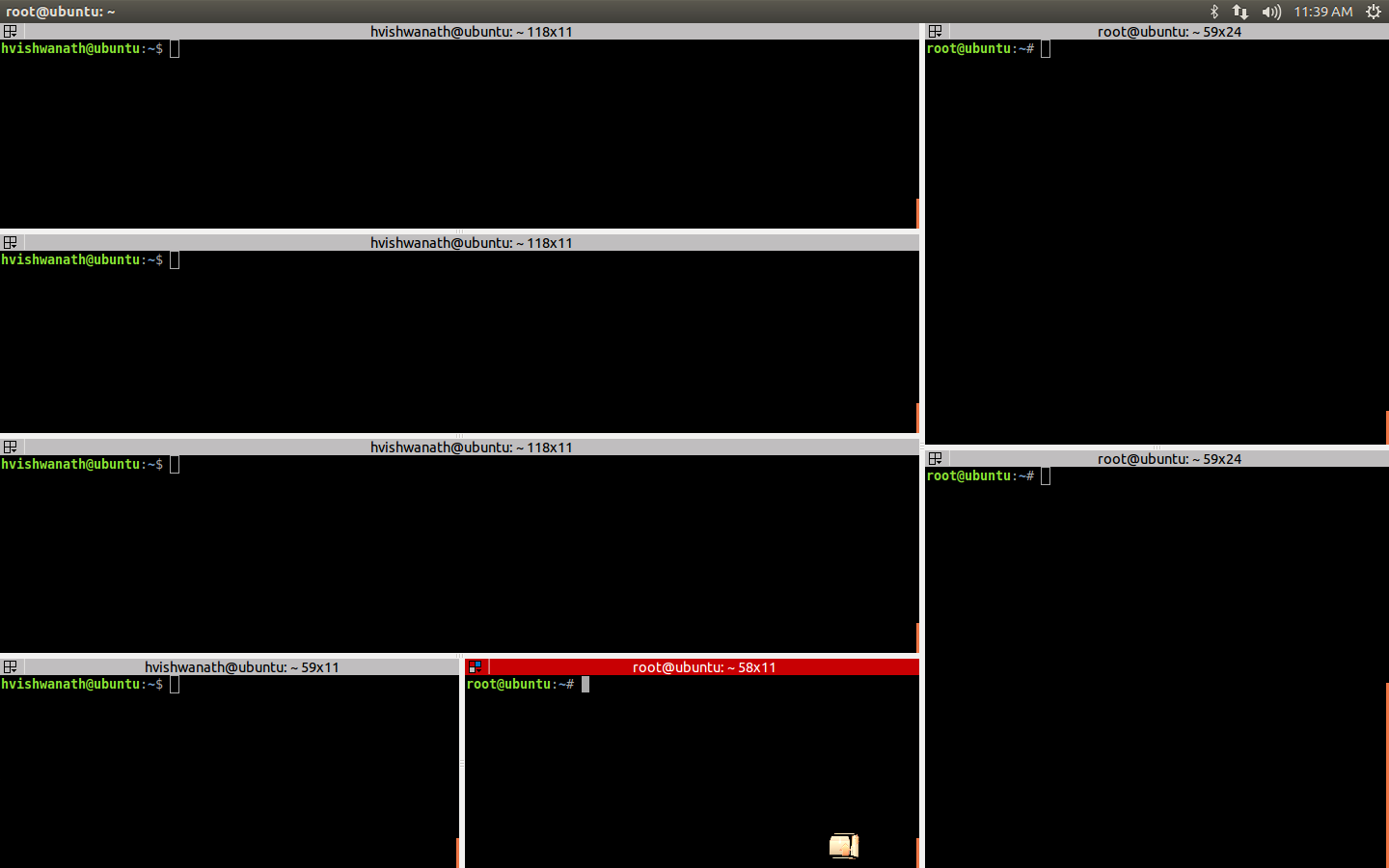
Context : At work , I routinely have to deal with multiple workspaces and a ton of consoles. Here’s my normal work setup (which I wish will magically conjure up, the moment I dock my laptop)
- Workspace 1: Code editor, Internet browser, File browser
- Workspace 2: Atleast 7 consoles arranged specifically in the available screen real estate. 3 of them show log feeds continuously, 2 of them are used to run commands, 1 runs a simulator and the other 1 is a root console (just to kill misbehaving processes mercilessly).
- Workspace 3: SSH terminals.
- Workspace 4: Unison File sync tool to sync up changes with my build box.
All this is running in a Ubuntu VM on a Win 7 box. Now the sucky part : My biggest pain and the reason why I procastinate before getting to work is, everytime I dock/undock the laptop, I will have to redo the entire setup all over again! The VM will minimize the moment it sees that there is now a new display, and when you get to the full screen mode, all the consoles are mostly on the same workspace! What a nightmare it is to get them back to where they belong! I was obsessing over this trying to figure out how to make this simpler, so that I can start working as soon as I get to office.
- I was looking for a “Macro” which can arrange stuff for me - did not find any suitable solutions.
- gnome-terminal has some cool features. While playing with them, discovered that if you save your config file when you have arranged all your windows the way you want it to look, it will remember the window positions, rows x columns etc.,
gnome-terminal --save-config=/home/racoon/work_consolesAnd then you can:
gnome-terminal --load-config=/home/racoon/work_consolesBut the issue with this is, when you run this command from another console, that console will hide behind the other’s that would come up, and it is visibly slow to get everything arranged the way you want it to. Also if you dock/undock the arrangement is all messed up and you got to do this all over again! And then I saw the perfect solution : Terminator - Console Manager It docks multiple gnome-terminals and lets you lay them out the way you want it to. And then save the layout and get it back whenever you want! Even if your VM acts up because of change it the displays, now you have to just deal with one single terminator window and move it to any workspace you want. The rest of the terminals are safely carried by the mother spaceship!